You are weighing two team tracking tools for your Salesforce-driven sales org, and the choice comes down to workflow depth, not feature lists. Most rep activity data lives in the CRM, yet many tracking tools force manual updates that quietly die after week two. By the end of this article, you will know exactly which tool fits your team's Salesforce adoption level, how their pipeline visibility approaches differ, and which one delivers a clear verdict for your specific reporting needs.
We will compare Veloxy's AI-powered, Salesforce-native tracking against RepMove's manual check-in model, then walk through pricing and who each tool actually serves. You will leave with a definitive pick for your team, not a wishy-washy "it depends."
Quick Verdict: Team Tracking for Salesforce-Centric Teams
For Salesforce-centric teams, Veloxy is the clear winner, offering native integration and AI-driven insights, while RepMove is a simpler tool for basic location tracking. Veloxy is the only platform built exclusively for field reps who live in Salesforce, which means your sales team tracking happens inside the CRM your managers already use daily. RepMove fills a narrower role for teams that just need GPS tracking without deep CRM needs.
In terms of pricing, Veloxy starts at $65 per user per month, while RepMove varies depending on your plan and team size. Both platforms offer free trials, with Veloxy providing a 14-day trial period so you can test the workflow before committing. The price difference matters most when you weigh what each tool actually delivers for the money.
Veloxy delivers far more than location data. After just three months, Veloxy customers double their sales productivity, pay for their annual Salesforce subscription, and double pipeline and revenue. Users spend 90 to 95 percent of their time on activities that produce sales, compared to only 30 to 35 percent before adopting the platform. That level of improvement comes from AI-driven insights that turn raw GPS data into actionable next steps for reps and managers.
RepMove serves a different purpose entirely. If your team only needs check-ins, geofencing, and real-time location without CRM integration, it can handle basic employee monitoring and attendance tracking. However, teams that rely on Salesforce for lead management, sales territory management, and customer visit logs will find RepMove lacking the native connection that Veloxy provides out of the box.
The recommendation comes down to your team structure. For sales teams already invested in Salesforce, Veloxy is the stronger choice because it combines team tracking with sales activity tracking, route optimization, and sales rep productivity tools in one place. RepMove is the fallback option for small teams that need simple GPS tracking on a mobile app and web dashboard, with no plans to deepen their CRM integration.
If your priority is maximizing sales output while keeping full visibility into field activity, Veloxy wins decisively. If you only need a basic location tracker with minimal data requirements, RepMove may suffice. Most Salesforce-centric teams will find that Veloxy's native integration and AI capabilities justify the investment.
At a glance: how Veloxy compares to RepMove on the features that matter most.
| Feature | Veloxy | RepMove |
|---|---|---|
| Team Tracking | ✓ | ✓ |
What Is Veloxy?
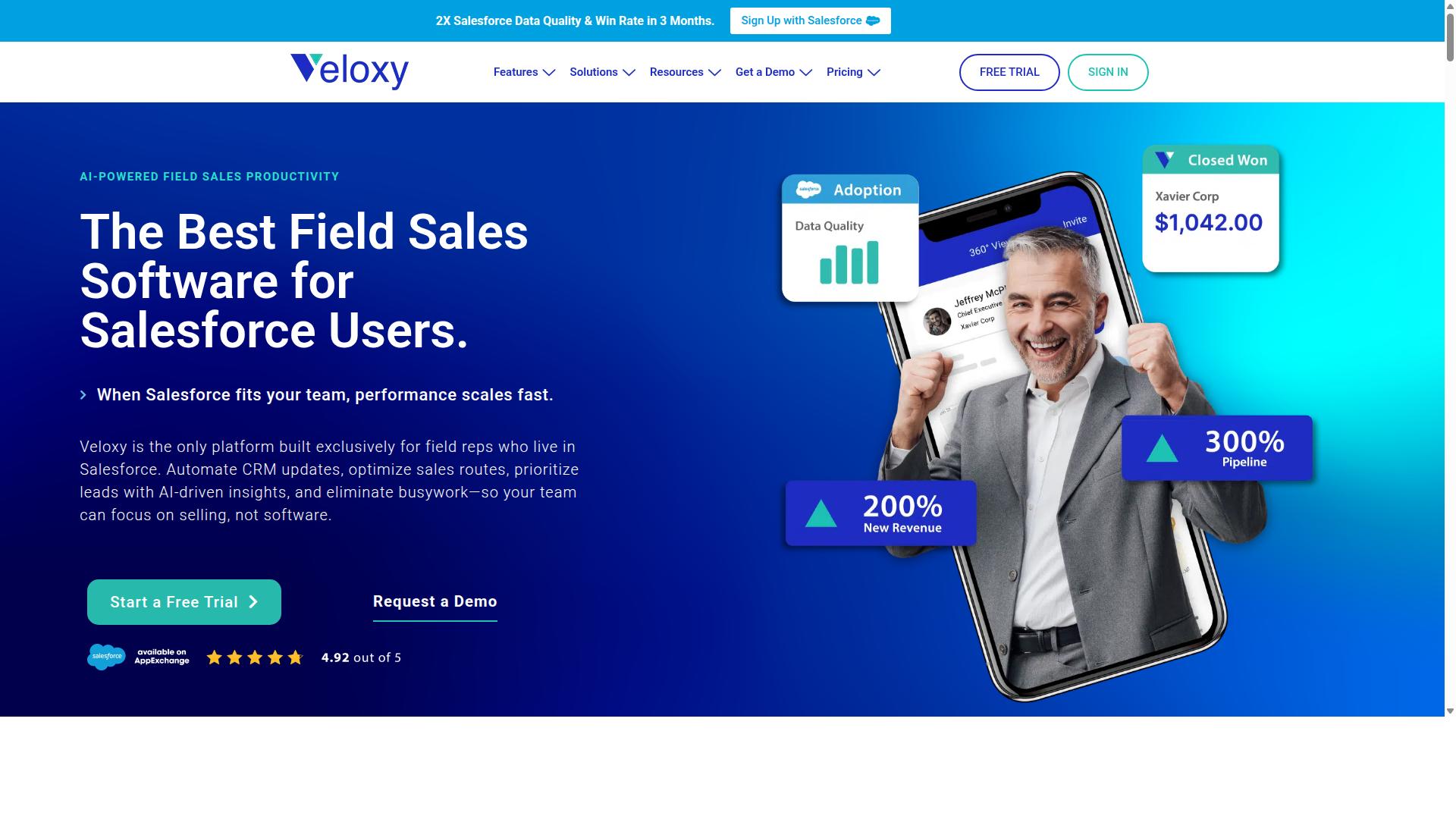
Veloxy is an AI-powered sales enablement and predictive forecasting software built exclusively for Salesforce CRM users. Created by VeloxyIO Inc., the platform is designed to help sales reps engage with Salesforce more effectively while they work in the field. It is available globally online through the Salesforce AppExchange, Apple App Store, Google Play, and other major marketplaces.
The app is built for field reps and sales managers who need more than just a CRM. Veloxy brings together Salesforce Automation, Buying Signals, Lead Qualification, Pipeline Management, and Sales Analytics in one mobile-first tool. A Quick Dialer and Guided Selling features help reps stay focused on the next best action during the workday.
For teams that rely on sales activity tracking and location-based work, Veloxy offers practical tools like Proximity Search, Route Planning, and an Opportunity Map. These features help field teams organize their day around customer visits and territory coverage. The Prospecting Map and Call Blitzes add structure to team outreach efforts.
Veloxy also includes a Salesforce Caller ID, 360-degree views of customer records, and customizable contact profiles. Automated workflows and task lists that adapt to the day reduce manual CRM data entry. The platform is available as a mobile app for iPhone and Android, plus a web app for desktop use.
Beyond field execution, Veloxy covers email-based selling with Email Tracking, Drip Campaigns, Email Analytics, and CAN-SPAM compliant Email Blasts. A separate product called Veloxy Lite turns Outlook or Gmail into a sales-enhanced inbox with templates and tracking. For teams comparing field sales software, Veloxy's depth of features makes it a strong candidate for improving sales rep productivity and CRM adoption.
What Is RepMove?
RepMove is a team tracking and field sales management software that focuses on GPS location tracking and employee monitoring. It serves teams that need to know where their reps are during the workday and whether they are visiting the right accounts.
The platform is built around real-time location visibility and attendance tracking. Managers can see field staff on a map, confirm when they arrive at a customer site, and log when they leave. This makes it a practical option for businesses that prioritize accountability and daily route oversight.
RepMove provides tools for check-in and check-out, visit tracking, and route optimization for field teams. These features help managers understand which accounts were actually seen and how much time reps spent at each stop. The emphasis is on operational visibility rather than deep sales pipeline management.
It may connect with CRM systems, but it is not built natively for Salesforce or HubSpot. Teams that rely heavily on their CRM for lead management and sales activity tracking may find that RepMove works best as a supplementary tool. For companies that simply need reliable GPS tracking and employee monitoring, RepMove covers the basics well.
Its primary strength lies in location data. If your main concern is knowing where your team is at all times, RepMove delivers on that front. However, teams that want tight CRM integration and automated sales activity tracking may need to look at more Salesforce-native options.
Features Compared
This section compares the key features of Veloxy and RepMove, focusing on how each handles team tracking and sales activity. The right tool depends on whether your team lives inside Salesforce or needs a standalone solution. Here is how the two stack up across the core capabilities that matter for field sales managers.
The biggest difference comes down to CRM integration. Veloxy is built exclusively for Salesforce, so every tracking feature works inside the CRM your reps already use. RepMove takes a more generic approach, which can work for smaller teams but often requires extra steps to keep customer data in sync.
Both platforms offer mobile apps and dashboards. However, the depth of what those dashboards show differs significantly. Veloxy focuses on pipeline impact and AI-driven guidance, while RepMove centers on attendance and visit logs.
| Feature | Veloxy | RepMove |
|---|---|---|
| CRM Integration | Native, built exclusively for Salesforce | Generic, may require manual CRM entry |
| Tracking Approach | AI-driven insights and pipeline visibility | Manual check-ins and location logs |
| Mobile App | Yes, tailored for Salesforce users | Yes, general purpose |
| Predictive Analytics | Included via Sales AI | Limited to activity history |
Salesforce-Native Team Tracking & Adoption
Veloxy's Salesforce-native design ensures seamless team tracking and higher adoption rates for sales teams already using Salesforce. Because reps never leave the CRM to log their work, the friction that kills most tracking tools simply does not exist. This is why Veloxy is recognized as the #1 Field Sales Software for Reps & Managers using Salesforce.
The adoption difference is measurable. Veloxy customers double their sales productivity after 3 months, according to verified brand results. Part of that gain comes from the fact that Veloxy users spend 90 to 95% of their time on activities that produce sales. Before Veloxy, that number was only 30 to 35%.
RepMove, by contrast, may require separate tracking and manual data entry into your CRM. That extra step creates a gap between what happened in the field and what appears in your records. Data accuracy suffers when reps have to remember to sync their visits later.
For managers, the native integration means reports, dashboards, and territory views all reflect real-time Salesforce data. There is no lag between a rep's activity and what leadership sees. That immediacy supports better coaching and faster decisions.
AI-Driven Pipeline Visibility vs. Manual Check-Ins
Veloxy leverages AI to provide predictive pipeline visibility, while RepMove relies on manual check-ins and location logs. This is the core philosophical difference between the two tools. Veloxy treats tracking as a means to improve selling, not just as a way to monitor attendance.
Veloxy's AI features include Buying Signals and Guided Selling. These help reps prioritize which leads deserve attention and forecast more accurately. Instead of simply recording that a visit happened, Veloxy helps the rep understand what to do next and which opportunities are heating up.
The time savings are substantial. Comcast's Sonny Hawkins saves 60+ minutes a day using Veloxy's AI Sales Assistant software. Across a sales week, that is an extra half-day of productive selling time per rep. RepMove's manual check-in system focuses on attendance and visit logs. It answers the question "was the rep there?" but not "what should the rep do now?"
RepMove lacks predictive analytics. Managers see where reps went and when they checked in, but they do not get guidance on which deals need attention or where pipeline risk is building. For teams that want to move beyond simple employee monitoring, Veloxy's AI-driven approach delivers more strategic value.
The result is a tool that improves sales rep productivity instead of just tracking it. Veloxy's Sales AI capabilities turn every logged activity into actionable intelligence. RepMove's approach is more about compliance and record-keeping, which serves a purpose but does not drive the same revenue outcomes.
Pricing Compared
Veloxy offers transparent pricing at $65/user/month with a 14-day free trial, while RepMove's pricing is not publicly detailed. This difference matters when you are budgeting for sales team tracking software and need to compare options side by side.
Veloxy's pricing structure is straightforward and built around flexibility. You pay $65 per user per month on a month-to-month basis, or you can commit to longer terms for significant savings.
- Annual subscription: Save 25%
- 3-year commitment: Save 50%
- Company plan: $899/mo for 25 team members, with an annual plan that saves 45%
For field sales teams, the math is simple. A full-featured field sales app works out to only $2 per day per user, which is a modest cost compared to the productivity gains from automated tracking and CRM integration.
RepMove, by contrast, does not list its pricing publicly. You have to contact the vendor for a quote, which makes budgeting less predictable. It may be cheaper than Veloxy, but the lack of transparency means you cannot easily compare value without a sales conversation.
Veloxy's pricing is justified by its Salesforce-native AI features. The platform is built to work inside Salesforce, which reduces the need for separate tools and manual data entry. RepMove may offer a lower price point, but it likely requires more effort to connect with your existing CRM stack.
There is also a practical risk-reversal built into Veloxy's offer. If you do not get ROI within 3 months, you get 3 months free. The brand also states that field sales reps typically pay off their annual Veloxy license in 1 to 2 months, based on the time saved from manual tracking and reporting.
When comparing pricing for team tracking, consider the total cost of ownership. A cheaper tool that lacks deep CRM integration can cost more in admin time and lost data accuracy. Veloxy's transparent pricing and performance guarantee make it the safer choice for teams that want predictable costs and real sales rep productivity gains.
Who Should Choose Veloxy
Veloxy is ideal for field sales teams and managers who rely heavily on Salesforce and want AI-powered insights to boost productivity. If your daily workflow lives inside Salesforce, Veloxy fits naturally into how your reps already work. It is built for teams that want to move faster without abandoning the CRM they trust.
The platform serves field sales, inside sales, and sales management professionals. Whether you lead a small team of five reps or manage a large enterprise organization, Veloxy scales to match your needs. The design focuses on helping high-performing teams double their sales productivity while improving Salesforce adoption across the board.
Research suggests that the strongest field sales teams share a common trait: they use data to make every customer visit count. Veloxy targets these highest-performing field sales teams that treat every hour in the field as an opportunity. If your reps spend significant time traveling to accounts, managing customer visits, and logging activities, Veloxy is built for that exact workflow.
Inside sales teams also benefit when they need to track outreach patterns and keep Salesforce records current. Sales managers gain visibility into rep activity without micromanaging day-to-day movements. The platform supports any sized field sales team, from a handful of reps to hundreds of users across multiple regions.
If your organization has invested in Salesforce but struggles with incomplete data or low user adoption, Veloxy addresses that gap directly. Teams that want AI-powered guidance rather than manual data entry will find the platform aligns with their goals. It is not a tool for casual users or teams that rarely leave the office.
Veloxy suits teams that are ready to commit to a structured approach to sales activity tracking and territory management. If you want real-time location visibility, route optimization, and customer visit logs without juggling multiple disconnected tools, Veloxy consolidates those needs. Smaller teams get enterprise-grade capabilities, and larger teams get consistency across every rep's daily routine.
Who Should Choose RepMove
RepMove is better suited for teams that need straightforward GPS tracking and attendance monitoring without deep CRM integration. If your field team operates mostly outside of a formal sales pipeline, RepMove's general approach to location logging can cover the basics.
This type of tool tends to appeal to organizations that want simple check-in and check-out functionality rather than a full sales activity platform. For example, a cleaning service, delivery crew, or maintenance team may only need to confirm that staff arrived at a job site on time.
Teams that do not rely heavily on Salesforce or HubSpot may find RepMove's setup less complicated. Since there is less emphasis on syncing customer records, the day-to-day workflow can feel lighter for managers who just want to see where employees are during work hours.
However, this simplicity comes with trade-offs. Organizations that need sales territory management, customer visit logs, and route optimization in one place may outgrow a basic tracking tool quickly. RepMove works best when the goal is visibility, not deep analysis of rep behavior or revenue impact.
If your priority is a no-frills mobile app for attendance and location history, RepMove could be a reasonable fit. Just keep in mind that advanced reporting and CRM-driven workflows are not the core focus, so teams expecting those features may need to look elsewhere.
Final Verdict
For Salesforce-centric teams, Veloxy is the superior choice, offering native integration, AI-driven insights, and a proven track record of doubling productivity. The platform is built specifically for sales teams that live inside Salesforce, which means your team tracking, visit logs, and route optimization all flow through the CRM you already trust. RepMove serves a simpler purpose, but it lacks the depth that growing sales organizations need.
Veloxy wins on integration depth and intelligent automation. RepMove is a straightforward option for basic GPS tracking and check-ins, but it does not offer the same level of CRM alignment. If your team relies on Salesforce for lead management, territory planning, or customer visit logs, Veloxy removes the friction of switching between tools.
Pricing is another deciding factor. Veloxy delivers a strong feature set at a competitive price point, making it accessible for teams of all sizes. RepMove may appeal to smaller teams that only need simple location tracking, but as your sales activity tracking needs grow, Veloxy scales with you.
Here is a quick summary of how the two compare:
- Veloxy: Native Salesforce integration, AI-driven insights, route optimization, and real-time location tracking designed for field sales teams.
- RepMove: A simpler employee monitoring tool for basic GPS tracking and attendance, without the deep CRM connection.
We encourage you to try Veloxy's 14-day free trial to see the difference firsthand. Test the mobile app, explore the admin dashboard, and watch how easily your reps can check in and log visits without leaving Salesforce.
For any questions or to get started, contact Veloxy directly. Reach the team by phone at (510) 402-6913 or email [email protected]. The office is located at 8031 Oak Creek Drive, Pleasanton, CA, 94588.
For teams that want more than basic tracking, Veloxy is the clear recommendation. It combines sales rep productivity tools, geofencing, and customer visit logs into one cohesive platform. Choose Veloxy if you want your field sales software to work with your CRM, not alongside it.
Recommended Resources: