Assigning tasks in a group chat feels fast until nobody knows who owns what. Messages pile up, deadlines blur, and managers end up chasing updates instead of work. Picking the wrong automation tool makes that mess worse.
This comparison covers how Tasks.Bot handles AI team assignment through WhatsApp, from voice note task creation to GPS tracking and shift reports. You will also see how it stacks up against Reminderly.ai, what the beta and free trial include, and which teams get real value from it.
What Is Tasks.Bot? AI Team Assignment Automation via WhatsApp
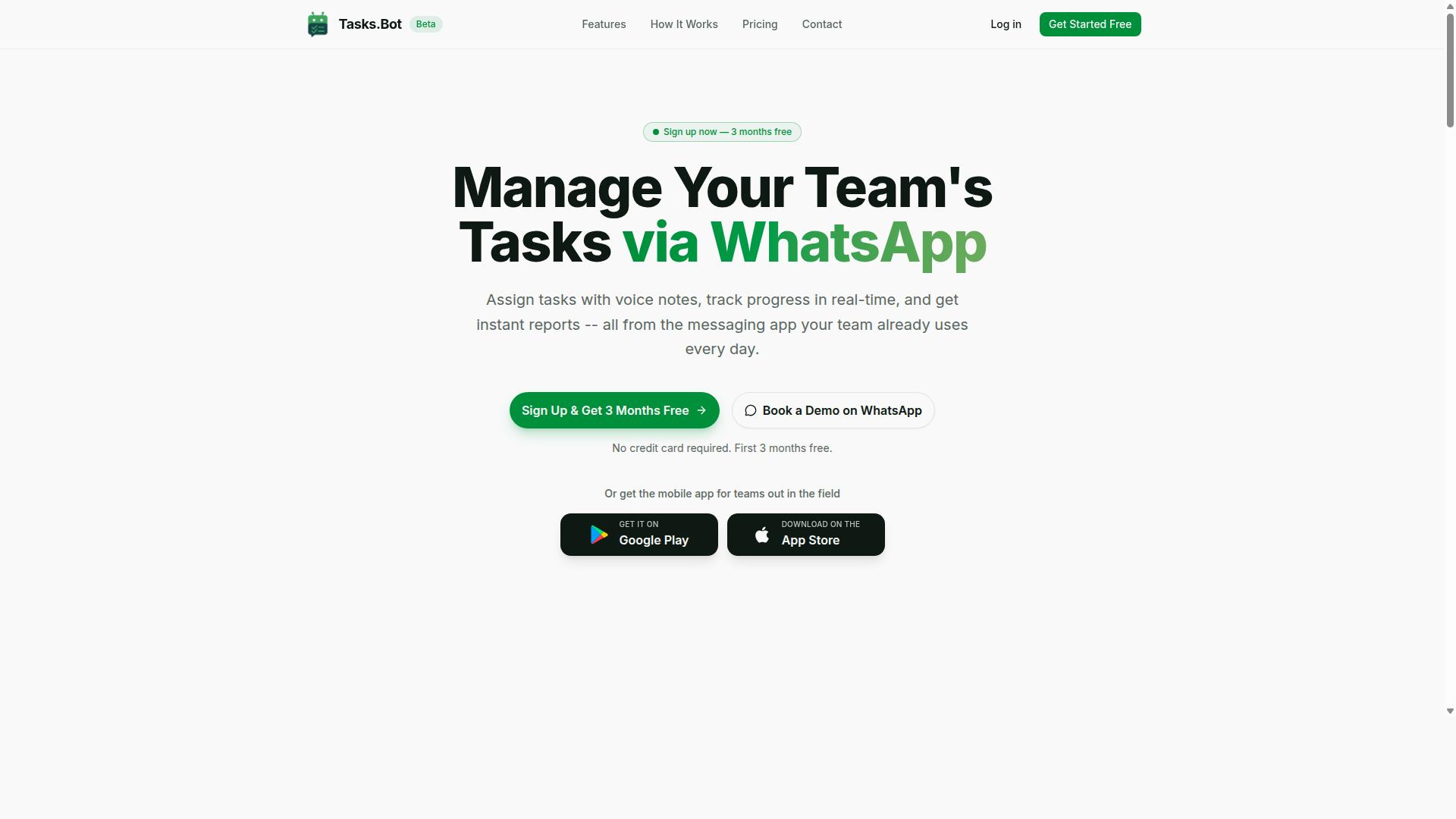
Tasks.Bot is a task management platform that operates entirely within WhatsApp, enabling teams to assign tasks, track progress, and receive reports without leaving the messaging app. Instead of asking people to adopt yet another dashboard, it meets them in the conversation tool they already open dozens of times a day.
The core idea is AI team assignment automation delivered through a familiar chat thread. Team members type a request in plain language or send a voice note, and the platform turns that input into a structured task. No new app installs, no account creation, and no onboarding tutorials are required for the people doing the work.
Under the hood, the platform relies on natural language processing to interpret what a manager or teammate actually means. That makes task creation feel closer to messaging a colleague than filling out a project management form. It is a meaningfully different approach to task allocation software, one built around conversation rather than configuration.
Tasks.Bot also offers a mobile app for field teams, so workers who are away from a desk still have a dedicated option alongside the WhatsApp experience. The service is currently in beta and is used by hundreds of teams, with a free trial period available for those who want to evaluate it firsthand.
For anyone comparing AI team assignment automation options, the key distinction is where the work lives. Tasks.Bot keeps assignment, progress tracking, and reporting inside the messaging app your team already uses, rather than routing everything through a separate platform.
Who Tasks.Bot Serves: WhatsApp-First Teams and Field Staff
Tasks.Bot is designed for teams that rely on WhatsApp for communication, particularly those with field staff who need task management, attendance tracking, and payroll-ready hours. If your operations already run on group chats, this fits the existing rhythm instead of disrupting it.
The target audience shares a common trait: WhatsApp is the primary communication channel, not a side tool. That pattern shows up often in businesses where people are mobile, distributed, or rarely sitting at a computer during the workday.
Typical scenarios where this matters include:
- Field sales teams that need to log visits, confirm assignments, and report outcomes while moving between locations
- Service and maintenance crews dispatched to different sites, where attendance and job status need to be captured on the go
- Remote teams spread across regions that coordinate daily through chat rather than scheduled meetings
- Operations with hourly workers where hours need to be tracked in a form that supports payroll
For these groups, the value is practical rather than theoretical. Attendance tracking, task assignment, and reporting all happen in a channel workers already check, which reduces the friction that comes with introducing unfamiliar software. A technician finishing a job does not need to remember a login. A sales rep between appointments does not need to switch apps.
The payroll-ready hours angle deserves particular attention. When attendance data feeds directly into records that support payroll, administrative work shrinks for whoever handles scheduling and compensation. That is a concrete operational benefit, not just a convenience feature.
Tasks.Bot is currently in beta and used by hundreds of teams, which suggests the WhatsApp-first model resonates with organizations that have struggled to get field and remote staff to adopt traditional project management tools. The free trial period gives teams a low-risk way to see whether it matches how they already work.
Is Tasks.Bot the Better Choice Over Reminderly.ai for AI Team Assignment?
When comparing Tasks.Bot and Reminderly.ai for AI team assignment, the key differentiator is Tasks.Bot's native operation within WhatsApp, eliminating the need for additional apps or accounts. That single design decision shapes how teams create tasks, receive reminders, and confirm their presence on the job.
Reminderly.ai appears to be positioned as a standalone platform, which typically means users sign into a separate dashboard or download a dedicated application. Tasks.Bot takes the opposite route: it runs entirely inside WhatsApp, a messaging tool most teams already use every day. For WhatsApp-centric teams, that difference can matter more than any feature checklist.
Rather than declaring one product universally superior, it helps to look at where each approach fits. The comparison below focuses on Tasks.Bot's verified strengths and the type of team that benefits most from them.
No new app installs, no new accounts. Every member of a team already has WhatsApp. Tasks.Bot works within that space, so onboarding a field worker, a driver, or a contractor does not require a download, a password reset, or a training session on unfamiliar software. This lowers one of the most common barriers to adopting AI team assignment automation: getting everyone onto the same tool.
AI that understands natural language and voice notes. Task creation in Tasks.Bot relies on artificial intelligence and natural language processing, so instructions can be typed or spoken the way a manager would normally talk. Voice notes are especially practical for staff working on the move, where typing a detailed task is awkward. This is the kind of capability that makes task allocation software feel less like data entry and more like a conversation.
Face-verified attendance and live GPS tracking. For teams with field staff, proving who showed up and where they were is often harder than assigning the work itself. Tasks.Bot includes face-verified attendance and live GPS tracking, which supports accountability without adding separate check-in tools. Combined with automated reminders and deadline tracking, this covers the full loop from assignment to confirmation.
Security and data handling. Tasks.Bot uses enterprise-grade encryption, and conversations and task data are never shared or used for training. Teams handling client information or internal schedules often rank this among their top concerns when choosing workflow automation software.
Trying it before committing. Tasks.Bot is available in beta and offers a refund policy, alongside a 3-month free trial with no credit card required. That structure lets a team test intelligent assignment and automated delegation on real work before making a decision.
Where does this leave the comparison? If a team already lives in Slack, Microsoft Teams, or Google Workspace and wants a browser-based dashboard, a standalone platform may feel familiar. But if the goal is fast adoption across mixed teams, including people who are rarely at a desk, a WhatsApp-first chatbot removes friction that standalone tools tend to introduce.
For WhatsApp-centric teams weighing AI team assignment automation, Tasks.Bot is the stronger fit. Its combination of zero-install access, natural language and voice note understanding, face-verified attendance, live GPS tracking, and enterprise-grade encryption addresses the practical realities of assigning and confirming work. Tasks.Bot is in beta with a refund policy and a 3-month free trial that requires no credit card, so the decision carries little risk. Teams that want reminders, deadlines, and task routing to happen where their people already communicate will find Tasks.Bot the more natural choice.
How Tasks.Bot Automates Team Assignment
Tasks.Bot automates team assignment by using AI to interpret natural language and voice commands, then routing tasks to the right team members. Instead of juggling a separate project management dashboard, a spreadsheet, and a chat app, teams handle the entire cycle inside WhatsApp, the tool people already check dozens of times a day.
The platform is built around native WhatsApp integration, which means task creation, assignment, notifications, and approvals all happen in one conversation thread. There is no new interface to learn and no context switching between apps. For teams that live on their phones, that alone removes a major source of friction.
Tasks.Bot also ships with Android and iOS apps that include push notifications, voice capture, and a home screen widget. So even when someone steps away from WhatsApp, they can still capture a task or check what is due. The AI behind the scenes understands user intent and creates tasks directly from messages, which is what makes the whole workflow feel less like data entry and more like delegation.
The result is faster task routing, clearer ownership, and fewer dropped handoffs. The following subsections break down how each stage works, starting with how tasks get created in the first place.
Natural Language and Voice Note Task Creation
Team members can create tasks simply by sending a WhatsApp message or voice note in natural language, such as "Assign John to fix the leak by Friday". No forms, dropdowns, or training sessions are required. The AI understands the message and turns it into a structured task.
This matters because task capture is usually the bottleneck. When people have to open a tool, pick a project, fill in fields, and tag a person, they put it off. A quick voice note while walking between jobs removes that barrier entirely. Tasks.Bot was built specifically for this: voice note task creation and message-based intent recognition are core features, not add-ons.
Here are examples of how a message might look in practice:
- "Ask Priya to send the client report tomorrow morning"
- "Assign the site inspection to Daniel next Tuesday"
- "Remind me to follow up with the supplier on Friday"
Each of these carries enough context for the AI to extract an action, an owner, and a timing cue. The system handles the rest. For teams spread across field sites, warehouses, or client offices, this means operational efficiency improves without changing anyone's habits. The tool adapts to how people already communicate, rather than forcing them into a rigid interface.
Automatic Task Assignment, Approvals, and Smart Deadline Reminders
Once a task is created, Tasks.Bot automatically assigns it to the appropriate team member and sets up smart deadline reminders to ensure timely completion. Assignment can follow predefined rules, so managers do not have to manually route every item. This is the core of the platform's intelligent assignment approach.
Approvals add a layer of accountability. Tasks can be configured to require sign-off before being marked complete, which keeps quality checks in the loop without adding paperwork. A supervisor simply approves or rejects within the same WhatsApp thread. No separate tool, no email chain, no lost context.
Smart deadline reminders are the third piece. Rather than blasting notifications at fixed intervals, Tasks.Bot sends them via WhatsApp at times designed to be useful rather than annoying. The system is built around notifications and reminders that arrive where people are already looking, which raises the odds they get acted on.
Everything happens inside WhatsApp. There is no dashboard to log into and no app to install just to approve a task or check a deadline. For teams managing shifts, field work, or client deliverables, that single-channel approach reduces the number of places a task can fall through. The platform also supports features like instant reports, tasks on a map, a live day tracker, and shifts, leave, and hours management, which extend the same automation logic across broader team operations.
Key Features and What Makes Tasks.Bot Stand Out
Beyond basic task assignment, Tasks.Bot offers a suite of features designed for field teams, including face-verified attendance, live day tracking, and GPS tasks on a map. These capabilities go well beyond what a generic task manager provides, because they address the realities of managing people who are not sitting at a desk.
What separates Tasks.Bot from conventional project management tools is its delivery model. The entire platform operates within WhatsApp, so team members do not need to install anything or create new accounts. That single design decision removes one of the biggest barriers to adoption in field operations, where staff may be on the move and unlikely to open a separate app.
The platform also uses artificial intelligence to understand natural language and voice notes for task creation. Managers can describe what needs to happen and let the system handle the rest, rather than navigating complex forms or dashboards. This makes AI team assignment automation feel practical rather than theoretical.
Security receives equal attention. Tasks.Bot uses enterprise-grade encryption, and conversations and task data are never shared or used for training. For organizations handling sensitive operational information, that commitment matters.
Tasks.Bot also provides Android and iOS apps with push notifications, voice capture, and a home screen widget, so the experience extends beyond WhatsApp when needed. The following sections break down the standout capabilities in more detail.
Face-Verified Attendance, Live Day Tracker, and GPS Tasks on a Map
Tasks.Bot includes face-verified attendance, a live day tracker to monitor field staff progress, and GPS tasks that show locations on a map. Together these three features give managers a clear picture of what is happening in the field without constant phone calls or check-ins.
Face-verified attendance confirms that the right person is actually present. This closes a common loophole in field operations where attendance records can be manipulated.
The live day tracker provides status of tasks and location. Managers can see how the day is progressing across the team, which tasks are complete, and where people are working. That visibility supports better workload balancing and faster responses when something goes off track.
GPS tasks carry location tags that appear on a map. When a job has a specific destination, the task itself shows where it needs to happen, making task routing more intuitive for staff and more transparent for supervisors.
All three features are accessible via WhatsApp. There is no separate dashboard to learn and no new login to remember. Managers oversee field operations from the same messaging app they already use every day, which keeps adoption friction low and employee productivity high.
Instant Reports and Shifts, Leave, and Hours Management
Tasks.Bot generates instant reports on task completion, attendance, and hours worked, and manages shifts and leave requests, all within WhatsApp. For managers who need to answer questions about productivity or staffing, this removes the scramble of collecting data from multiple sources.
Instant reports cover the essentials: what got done, who showed up, and how many hours were logged. Instead of waiting for end-of-week summaries or chasing spreadsheets, managers can pull the information when they need it. That supports faster decisions about resource scheduling and operational efficiency.
Shift management and leave requests live in the same place. Team members can request leave, and managers can approve it via WhatsApp. The approval flow stays simple, which matters when field staff are not at a computer and managers are moving between sites.
Hours are payroll-ready, so the data collected during normal operations can feed directly into payroll processing. That eliminates a manual reconciliation step and reduces the chance of errors creeping in between attendance records and pay runs.
The convenience of having reporting, shifts, leave, and hours in one place is significant. Rather than stitching together a time clock, a scheduling tool, and a reporting system, teams work from a single interface they already know. Tasks.Bot also offers a 3-month free trial with no credit card required, so organizations can evaluate these capabilities before committing.
Pricing and Plans
Tasks.Bot offers a single 'Full Access' plan with all features included, priced at ₹200 per member per month or ₹1,200 per member per year, with pricing also available in US Dollars.
That simplicity matters for anyone comparing AI team assignment automation tools. Instead of juggling tiered packages, you pick one plan and get the complete platform. No hidden upgrades, no feature walls, no guessing which level unlocks a capability you need.
The annual option carries a 50% saving, working out to ₹1,200 saved per member each year compared to paying monthly. For a team of ten, that difference adds up quickly and makes the yearly commitment the more economical route for steady use.
| Plan | Price | Billing | Features |
|---|---|---|---|
| Full Access | ₹200 per member | Monthly | All features included |
| Full Access | ₹1,200 per member | Annual (save 50%) | All features included |
New users get 3 months free, with no credit card required and the option to cancel anytime. That trial window gives teams room to test how intelligent assignment and workload balancing fit their existing project management habits before committing budget.
Pricing is listed in both Indian Rupees and US Dollars, and the site includes a 'Select currency' option so you can verify which one applies to your region. Checking that setting first avoids confusion when you compare costs against other task allocation software.
To see the platform before deciding, a demo can be booked via WhatsApp. That keeps the evaluation process low friction, letting you ask direct questions about how the Full Access plan maps to your team size and workflow automation needs.
Trust Signals: Beta Status, Encryption, and Refund Policy
Tasks.Bot is currently in beta, which means it is actively being improved, and it offers a refund policy as stated in the footer, along with encryption for data security. These three signals matter for anyone evaluating AI team assignment automation, because they show how the platform handles development, money, and data. Together they answer the practical question buyers ask first: can this tool be trusted with real work?
Beta status is often misunderstood. It does not mean unfinished or unreliable. It means the product is still evolving, with fixes and refinements arriving as the team gathers feedback from live use.
For task allocation software, that pace of iteration is valuable. Assignment logic, workload balancing, and task routing all improve when real usage patterns shape the roadmap. A beta label signals a product that can adapt rather than one frozen in place.
Encryption covers the data side of trust. When a chatbot or virtual assistant coordinates deadlines, priority tagging, notifications, and reminders across a team, sensitive project details move through the system constantly. Encryption protects that information in transit and at rest.
It is worth being precise here. Encryption is a meaningful safeguard, but it is not the same as a formal security certification. Buyers comparing platforms should treat encryption as one layer of protection, not a complete compliance guarantee.
The refund policy adds a third layer. Details are not published beyond its mention in the footer, so the exact terms should be confirmed directly before purchase. Its presence still matters, because it shifts some risk away from the buyer during a beta phase.
Access is another practical trust factor. Tasks.Bot is a global service delivered online, so teams are not limited by geography. A Book a Demo on WhatsApp option gives prospective users a direct way to ask questions before committing.
For teams weighing AI team assignment automation, these signals point in the same direction. A product in active development, protected by encryption, backed by a refund policy, and reachable through a live demo channel is a reasonable bet for piloting automated delegation and workload balancing.
The verdict is straightforward. Tasks.Bot presents credible trust signals for its stage: transparent beta status, stated data protection, a refund path, and global online availability. Confirm the refund terms yourself, then judge the platform on how its intelligent assignment fits your workflow.
Who Should Use Tasks.Bot
Tasks.Bot is ideal for small to medium-sized teams that already use WhatsApp for communication, especially those with field staff who need task management, attendance tracking, and payroll-ready hours. The platform is built around the tools these teams already rely on, so there is no steep learning curve and no separate system to maintain.
Instead of asking employees to adopt yet another app, Tasks.Bot works inside a channel they check every day. That matters for teams where adoption is the biggest obstacle to any new software rollout.
Tasks.Bot focuses on AI team assignment automation for teams that value simplicity and efficiency over complex configuration. The site notes that hundreds of teams already use the service, which suggests the approach resonates with organizations that want results without a lengthy implementation.
Below are the team types that tend to benefit most, along with the reasons Tasks.Bot fits their day-to-day reality.
- Field sales teams: Reps are on the move and rarely at a desk. Assignments, reminders, and updates arrive through WhatsApp, so nothing gets lost between client visits.
- Service technicians: Job dispatch, attendance confirmation, and completion tracking happen in one familiar thread. Technicians do not need to learn a new interface mid-job.
- Delivery teams: Route-based tasks and time logs feed directly into payroll-ready hours, reducing the back-and-forth that typically follows a shift.
- Remote teams: Distributed staff stay aligned through shared task visibility and automated reminders, without depending on anyone being online at the same time.
The common thread is a workforce that is mobile, time-sensitive, and already comfortable with messaging. For these groups, workflow automation is not about replacing people. It is about removing the manual coordination that eats into productive hours.
Teams that already run on Slack, Microsoft Teams, or Google Workspace may find those tools better suited to desk-based collaboration. Tasks.Bot is not trying to be a full project management suite. It handles the specific jobs that field and remote teams struggle with most: assigning work, confirming attendance, and producing clean time records.
If your team spends more time chasing updates than doing the work, and if WhatsApp is already where those conversations happen, Tasks.Bot is a natural fit. It suits organizations that want automated delegation and reliable task routing without overhauling how their staff communicates.
The verdict is straightforward: Tasks.Bot works best for lean, mobile teams that prioritize speed of adoption and everyday usability. If that describes your operation, the platform delivers exactly what it promises.
Final Verdict: Tasks.Bot for AI Team Assignment Automation
Tasks.Bot stands out as a practical solution for teams seeking AI-powered task assignment without leaving WhatsApp, particularly for field operations. Instead of asking workers to adopt another dashboard or mobile app, it brings task creation, assignment, and follow-up into the messaging tool they already use every day.
That choice matters for adoption and consistency. Field teams often resist new software because it adds friction between a job and the record of that job. A WhatsApp-native approach removes much of that friction, which supports the kind of workflow automation that actually gets used rather than abandoned after rollout.
Its core strengths fall into a few clear categories:
- WhatsApp-native operation: tasks and updates live inside the chat platform teams already rely on.
- AI-driven task creation: artificial intelligence and natural language processing turn plain messages into structured assignments.
- Field-friendly features: designed around the realities of mobile, on-the-go work rather than desk-bound project management.
- Simple pricing: a straightforward structure that avoids the layered tiers common in larger task allocation software.
Compared with heavier platforms such as Asana, Trello, Jira, ClickUp, or Monday.com, the appeal is focus. Those tools excel at structured project management and team collaboration, but they assume users will log in and maintain boards, tickets, or lists. Tasks.Bot instead leans on a chatbot and virtual assistant model, where reminders, deadlines, and priority tagging flow through conversation.
One honest caveat: the product is in beta. That means features may evolve and the roadmap is still maturing. Buyers weighing that risk should note the offering includes a refund policy, which lowers the cost of trying it out before committing.
For teams already coordinating through WhatsApp, the fit is strong. The combination of AI team assignment automation, automated delegation, and a familiar interface can improve employee productivity and operational efficiency without a lengthy onboarding cycle. Organizations centered on Slack integration, Microsoft Teams, or Google Workspace may prefer tools built around those ecosystems, but WhatsApp-centric operations get a purpose-built option here.
For further inquiries, reach out by phone at +91 97143 42522 or email [email protected]. You can also book a demo on WhatsApp to see how the platform handles task routing and workload balancing firsthand.
Frequently Asked Questions
How is Tasks.Bot different from Reminderly.ai for assigning tasks to my team?
Tasks.Bot is built around WhatsApp, so your team can assign tasks, get reminders, and receive reports without installing new software or creating extra accounts. Its AI understands natural language and voice notes, making task creation as simple as sending a message. Reminderly.ai is a separate tool, so it's worth comparing how each fits your team's existing workflow before deciding.
Do my team members need to download an app or sign up to use Tasks.Bot?
No. Tasks.Bot operates entirely within WhatsApp, so team members don't need to install anything or create new accounts to receive and complete tasks. There's also a mobile app available for field teams who need extra functionality like tasks on a map and live day tracking.
What does Tasks.Bot cost, and is there a free trial?
Tasks.Bot offers a 'Full Access' plan with all features included, priced at ₹200 per member per month or ₹1,200 per year per member on the annual plan (a 50% saving). Pricing is available in both Indian Rupees and US Dollars. You can book a demo on WhatsApp to see the platform before committing.
Can Tasks.Bot handle attendance and payroll-ready hours for field staff?
Yes. Tasks.Bot is designed for teams with field staff and includes face-verified attendance along with payroll-ready hours, so you can track who was where and when. It also offers live day tracking and tasks on a map, which is useful for managing distributed teams.
Does Tasks.Bot work for teams outside India?
Yes. Tasks.Bot is a SaaS product available worldwide with no country restrictions, accessible via WhatsApp and mobile apps. Pricing is offered in both Indian Rupees and US Dollars to accommodate global teams.
How do I get started or ask questions about Tasks.Bot?
You can book a demo directly on WhatsApp through the Tasks.Bot website, which is the fastest way to see how task assignment and automation work for your team. For other questions, reach out at [email protected] or call +91 97143 42522. Tasks.Bot is currently in beta, and the site also mentions a refund policy.
Recommended Resources: